OpenID Federation with pac4j and CAS
We have made a long journey with pac4j and the OpenID federation protocol in this series of 3 articles:
- 2 articles on the Connect2id server acting as a federated OP: (Part 1) + (Part 2)
- 1 article on the Connect2id server being the OP and the CAS server being the trust anchor: pac4j + Connect2id + CAS.
As CAS v8.1.0 will also support the OpenID federation protocol as a server (OP), it is time to conclude this series with this fourth and final article, using pac4j and CAS only.
Like in our previous setup, we have 3 components:
- a client, which is called the Relying Party (RP) in OIDC, and we use pac4j
- a server, which is called the OpenID Provider (OP) in OIDC, and we use the CAS server
- a trust anchor (TA for short) and we use the CAS server.
Although we use the CAS server for the OP and the TA, we can’t use a single CAS node: we have two separate nodes of the CAS server, each supporting an exclusive role.
To be consistent with our previous installation:
- the OP runs on
http://localhost:8080/cas - the RP runs on
http://localhost:8081 - the TA runs on
http://localhost:8082/cas.
For the CAS server nodes, we use this basic Maven overlay: https://github.com/casinthecloud/cas-overlay-demo.
Both our CAS servers have a similar pom.xml file:
<project xmlns="http://maven.apache.org/POM/4.0.0" xmlns:xsi="http://www.w3.org/2001/XMLSchema-instance"
          xsi:schemaLocation="http://maven.apache.org/POM/4.0.0 http://maven.apache.org/maven-v4_0_0.xsd">
    <modelVersion>4.0.0</modelVersion>
    <groupId>com.casinthecloud</groupId>
    <artifactId>cas-overlay-demo</artifactId>
    <version>8.1.0-SNAPSHOT</version>
    <packaging>war</packaging>

    <dependencies>
        <dependency>
            <groupId>org.apereo.cas</groupId>
            <artifactId>cas-server-webapp${tomcat.properties}</artifactId>
            <version>${cas.version}</version>
            <type>war</type>
            <scope>runtime</scope>
        </dependency>

        <dependency>
            <groupId>org.apereo.cas</groupId>
            <artifactId>cas-server-support-oidc-federation</artifactId>
            <version>${cas.version}</version>
        </dependency>
    </dependencies>

    <build>
        <plugins>
            <plugin>
                <groupId>org.apache.maven.plugins</groupId>
                <artifactId>maven-war-plugin</artifactId>
                <version>3.3.1</version>
                <configuration>
                    <failOnMissingWebXml>false</failOnMissingWebXml>
                    <recompressZippedFiles>false</recompressZippedFiles>
                    <archive>
                        <compress>false</compress>
                        <manifestFile>${project.build.directory}/war/work/org.apereo.cas/cas-server-webapp${tomcat.properties}/META-INF/MANIFEST.MF</manifestFile>
                    </archive>
                    <overlays>
                        <overlay>
                            <groupId>org.apereo.cas</groupId>
                            <artifactId>cas-server-webapp${tomcat.properties}</artifactId>
                        </overlay>
                    </overlays>
                </configuration>
            </plugin>
            <plugin>
                <groupId>org.apache.maven.plugins</groupId>
                <artifactId>maven-compiler-plugin</artifactId>
                <version>3.8.1</version>
                <configuration>
                    <release>${java.version}</release>
                </configuration>
            </plugin>
            <plugin>
                <groupId>org.springframework.boot</groupId>
                <artifactId>spring-boot-maven-plugin</artifactId>
                <version>4.2.0-M1</version>
                <configuration>
                    <mainClass>org.apereo.cas.web.CasWebApplication</mainClass>
                    <excludes>
                        <exclude>
                            <groupId>org.apereo.cas</groupId>
                            <artifactId>cas-server-webapp-tomcat</artifactId>
                        </exclude>
                    </excludes>
                </configuration>
                <executions>
                    <execution>
                        <goals>
                            <goal>repackage</goal>
                        </goals>
                    </execution>
                </executions>
            </plugin>
        </plugins>
        <finalName>cas</finalName>
    </build>

    <properties>
        <cas.version>8.1.0-RC1</cas.version>
        <java.version>25</java.version>
        <tomcat.properties>-tomcat</tomcat.properties>
        <project.build.sourceEncoding>UTF-8</project.build.sourceEncoding>
    </properties>

</project>
The OP has one more CAS dependency though (compared to the TA):
<dependency>
    <groupId>org.apereo.cas</groupId>
    <artifactId>cas-server-support-oidc</artifactId>
    <version>${cas.version}</version>
</dependency>
And the configuration specific to each server changes.
For the pac4j application, we use this simple demo: https://github.com/pac4j/simple-spring-boot-pac4j-demos/tree/oidc/src/main/java/org/pac4j/demos.
1) Setup a CAS server as the OP
In the application.yml file, let’s set up the CAS server to act as the trust anchor:
server.ssl.enabled: false
server.port: 8080

cas.tgc.secure: false
cas.tgc.same-site-policy: Lax

cas.tgc.crypto.enabled: false
cas.webflow.crypto.enabled: false

cas.server.name: http://localhost:${server.port}
cas.server.prefix: ${cas.server.name}/cas
cas.host.name: casop

cas.authn.oidc.jwks.file-system.jwks-file: file:./metadata/oidc.jwks
cas.authn.oidc.federation.role: OPENID_PROVIDER
cas.authn.oidc.federation.jwks-file: file:./metadata/federation.jwks
cas.authn.oidc.federation.authority-hints:
  - http://localhost:8082/cas/oidc
cas.authn.oidc.core.issuer: ${cas.server.prefix}/oidc
The configuration is quite easy: we set up the CAS server to run on http://localhost:8080/cas (no SSL, Lax policy, no cookie/webflow encryption, this is for development only).
For OIDC, we define its OIDC base URL (issuer) and its JWKS (./metadata/oidc.jwks).
And for the federation part, we set the OPENID_PROVIDER role, the specific JWKS (./metadata/federation.jwks) and the trust anchor:
cas.authn.oidc.federation.authority-hints:
  - http://localhost:8082/cas/oidc
2) Setup the pac4j application as the RP
In the pac4j ecosystem, Spring Boot is the most popular web stack, so we use the spring-webmvc-pac4j implementation in this simple demo: https://github.com/pac4j/simple-spring-boot-pac4j-demos/tree/oidc/src/main/java/org/pac4j/demos:
- the
SpringBootDemoclass runs the Spring Boot demo - the
SecurityConfigclass defines the security configuration (OIDC + URL protection) - the
Applicationclass is a simple controller with two URLs: one public and the other one protected.
a) Dependencies
We need the following dependencies:
<dependency>
    <groupId>org.springframework.boot</groupId>
    <artifactId>spring-boot-starter-web</artifactId>
</dependency>
<dependency>
    <groupId>org.pac4j</groupId>
    <artifactId>spring-webmvc-pac4j</artifactId>
    <version>8.0.3</version>
</dependency>
<dependency>
    <groupId>org.pac4j</groupId>
    <artifactId>pac4j-oidc</artifactId>
    <version>6.5.6</version>
</dependency>
b) Properties
We run it on port 8081 thanks to the application.properties file:
server.port=8081
app.base-url=http://localhost:8081
c) SecurityConfig class
We update the SecurityConfig class to change the configuration for the federation:
package org.pac4j.demos;

import com.nimbusds.jose.JWSAlgorithm;
import com.nimbusds.oauth2.sdk.auth.ClientAuthenticationMethod;
import org.pac4j.core.config.Config;
import org.pac4j.oidc.client.OidcClient;
import org.pac4j.oidc.config.OidcConfiguration;
import org.pac4j.oidc.config.method.PrivateKeyJwtClientAuthnMethodConfig;
import org.pac4j.oidc.federation.config.OidcTrustAnchorProperties;
import org.pac4j.springframework.config.Pac4jSecurityConfig;
import org.springframework.beans.factory.annotation.Value;
import org.springframework.context.annotation.Bean;
import org.springframework.context.annotation.Configuration;
import org.springframework.web.servlet.config.annotation.InterceptorRegistry;

import java.util.List;

@Configuration
public class SecurityConfig extends Pac4jSecurityConfig {

    @Value("${app.base-url:http://localhost:8080}")
    private String baseUri;

    @Bean
    public Config config() {
        final var config = new OidcConfiguration();
        config.setAllowUnsignedIdTokens(true);

        final var rpJwks = config.getRpJwks();
        rpJwks.setJwksPath("file:./metadata/rpjwks.jwks");
        rpJwks.setKid("defaultjwks26");
        config.setClientAuthenticationMethod(ClientAuthenticationMethod.PRIVATE_KEY_JWT);
        final var privateKeyJwtConfig = new PrivateKeyJwtClientAuthnMethodConfig(rpJwks);
        config.setPrivateKeyJWTClientAuthnMethodConfig(privateKeyJwtConfig);

        config.setRequestObjectSigningAlgorithm(JWSAlgorithm.RS256);

        final var federation = config.getFederation();

        federation.setTargetOp("http://localhost:8080/cas/oidc");
        final var trust = new OidcTrustAnchorProperties();
        trust.setIssuer("http://localhost:8082/cas/oidc");
        trust.setJwksPath("classpath:trustanchor.jwks");
        federation.getTrustAnchors().add(trust);

        federation.getJwks().setJwksPath("file:./metadata/oidcfede.jwks");
        federation.getJwks().setKid("mykeyoidcfede26");
        federation.setContactName("RP with CAS");
        federation.setContactEmails(List.of("[email protected]"));

        federation.setEntityId("http://localhost:8081");

        return new Config(baseUri + "/callback", new OidcClient(config));
    }

    @Override
    public void addInterceptors(final InterceptorRegistry registry) {
        addSecurity(registry, "OidcClient").addPathPatterns("/protected/**");
    }
}
The configuration is more complicated here.
We define a global JWKS for the RP that is also used for the private_key_jwt authentication method:
    final var rpJwks = config.getRpJwks();
    rpJwks.setJwksPath("file:./metadata/rpjwks.jwks");
    rpJwks.setKid("defaultjwks26");
    config.setClientAuthenticationMethod(ClientAuthenticationMethod.PRIVATE_KEY_JWT);
    final var privateKeyJwtConfig = new PrivateKeyJwtClientAuthnMethodConfig(rpJwks);
    config.setPrivateKeyJWTClientAuthnMethodConfig(privateKeyJwtConfig);
For federation, we use:
    config.setRequestObjectSigningAlgorithm(JWSAlgorithm.RS256);

    final var federation = config.getFederation();

    federation.setTargetOp("http://localhost:8080/cas/oidc");
    final var trust = new OidcTrustAnchorProperties();
    trust.setIssuer("http://localhost:8082/cas/oidc");
    trust.setJwksPath("classpath:trustanchor.jwks");
    federation.getTrustAnchors().add(trust);
The target OP is of course the CAS server acting as an OP.
For the trust anchor, it’s the other CAS node (on port 8082) for which we retrieve the JWKS from http://localhost:8082/cas/oidc/.well-known/openid-federation and save it in the trustanchor.jwks file.
Example:
{
    "keys": [
        {
            "kty": "RSA",
            "e": "AQAB",
            "use": "sig",
            "kid": "19f7aaaa-c4d3-4c26-a26e-3ce4b8ab1beb",
            "n": "uXgnb...SEdSw"
        }
    ]
}
We also have a specific JWKS configuration dedicated to federation (displayed on the .well-known/openid-federation endpoint):
    federation.getJwks().setJwksPath("file:./metadata/oidcfede.jwks");
    federation.getJwks().setKid("mykeyoidcfede26");
    federation.setContactName("RP with CAS");
    federation.setContactEmails(List.of("[email protected]"));

    federation.setEntityId("http://localhost:8081");
d) Application class
We also need to update the Application class to add the mapping for the OpenID federation endpoint:
@Controller
public class Application {

    @Autowired
    private Config config;

    @RequestMapping(value = "/.well-known/openid-federation", produces = DefaultEntityConfigurationGenerator.CONTENT_TYPE)
    @ResponseBody
    public String oidcFederation() throws HttpAction {
        final var oidcClient = (OidcClient) config.getClients().findClient("OidcClient").get();
        return oidcClient.getConfiguration().getFederation().getEntityConfigurationGenerator().generateEntityStatement();
    }

    ...
}
3) Setup a CAS server as the trust anchor
In the application.yml file, let’s set up the CAS server as the trust anchor this time:
server.ssl.enabled: false
server.port: 8082

cas.tgc.secure: false
cas.tgc.same-site-policy: Lax

cas.tgc.crypto.enabled: false
cas.webflow.crypto.enabled: false

cas.server.name: http://localhost:${server.port}
cas.server.prefix: ${cas.server.name}/cas
cas.host.name: casta

cas.authn.oidc.federation.role: TRUST_ANCHOR
cas.authn.oidc.federation.jwks-file: file:./metadata/trustanchor.jwks
cas.authn.oidc.core.issuer: ${cas.server.prefix}/oidc
cas.authn.oidc.federation.subordinate-directory: ./subordinates
The configuration is close to that of the other CAS node, except that we define the TRUST_ANCHOR role as well as the file directory in which we will define its subordinates.
The subordinates are the entities for which the CAS server provides trust. They must be defined upfront with their metadata and their federation key(s).
Here, it will be the RP (the pac4j client, Spring Boot demo) and the OP (the other CAS server).
For the RP (pac4j), we call the URL: http://localhost:8081/.well-known/openid-federation. An entity statement is returned by the Spring Boot demo and we can decode it via any JWT tool or the jwt.io website.
The metadata and the keys from the jwks property (not in the metadata property) are the ones we use to build the subordinate rp.json file (placed in the ./subordinates directory):
{
    "entityId": "http://localhost:8081",
    "metadata": {
        "openid_relying_party": {
            "redirect_uris": [
                "http://localhost:8081/callback?client_name=OidcClient"
            ],
            "application_type": "web",
            "response_types": [
                "code"
            ],
            "grant_types": [
                "authorization_code"
            ],
            "scope": "openid email profile",
            "token_endpoint_auth_method": "private_key_jwt",
            "token_endpoint_auth_signing_alg": "RS256",
            "request_object_signing_alg": "RS256",
            "jwks": {
                "keys": [
                    {
                        "kty": "RSA",
                        "e": "AQAB",
                        "use": "sig",
                        "kid": "defaultjwks26",
                        "n": "v-zf7...G2tyw"
                    }
                ]
            },
            "client_registration_types": [
                "explicit",
                "automatic"
            ],
            "client_name": "RP with CAS",
            "contacts": [
                "[email protected]"
            ]
        }
    },
    "federationKeys": [
        {
            "kty": "RSA",
            "e": "AQAB",
            "use": "sig",
            "kid": "mykeyoidcfede26",
            "n": "uaov...EpbZQ"
        }
    ]
}
For the OP (CAS server), we do something similar and call the URL: http://localhost:8080/cas/oidc/.well-known/openid-federation to get the metadata and the federation keys and create the op.json file (in the ./subordinates directory).
{
    "entityId": "http://localhost:8080/cas/oidc",
    "metadata": {
        "openid_provider": {
            "DPopSigningAlgValuesSupported": [
                "RS256",
                "RS384",
                "RS512",
                "ES256",
                "ES384",
                "ES512"
            ],
            "request_parameter_supported": true,
            "pushed_authorization_request_endpoint": "http://localhost:8080/cas/oidc/oidcPushAuthorize",
            "introspection_signing_alg_values_supported": [
                "none",
                "RS256",
                "RS384",
                "RS512",
                "PS256",
                "PS384",
                "PS512",
                "ES256",
                "ES384",
                "ES512",
                "HS256",
                "HS384",
                "HS512"
            ],

            ...[TRUNCATED]...

            "registration_endpoint": "http://localhost:8080/cas/oidc/register",
            "request_object_signing_alg_values_supported": [
                "none",
                "RS256",
                "RS384",
                "RS512",
                "PS256",
                "PS384",
                "PS512",
                "ES256",
                "ES384",
                "ES512",
                "HS256",
                "HS384",
                "HS512"
            ],
            "request_object_encryption_alg_values_supported": [
                "RSA1_5",
                "RSA-OAEP",
                "RSA-OAEP-256",
                "A128KW",
                "A192KW",
                "A256KW",
                "A128GCMKW",
                "A192GCMKW",
                "A256GCMKW",
                "ECDH-ES",
                "ECDH-ES+A128KW",
                "ECDH-ES+A192KW",
                "ECDH-ES+A256KW"
            ]
        },
        "federation_entity": {
            "organization_name": "Apereo CAS",
            "contacts": []
        }
    },
    "federationKeys": [
        {
            "kty": "RSA",
            "e": "AQAB",
            "use": "sig",
            "kid": "0bf6c36e-1cba-41d3-a50e-a11881fd85e7",
            "n": "xoP5Q...3EkRw"
        }
    ]
}
4) Final test
With the RP, OP and TA started, we call http://localhost:8081 in the browser:
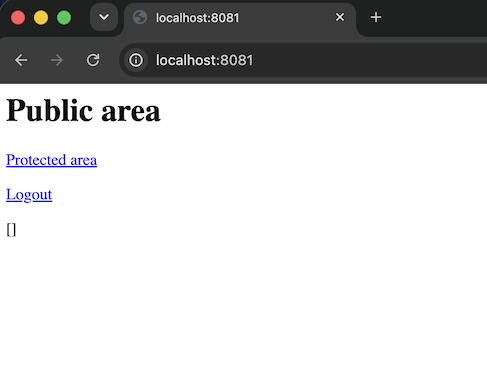
Then, we click on the “Protected area” link.
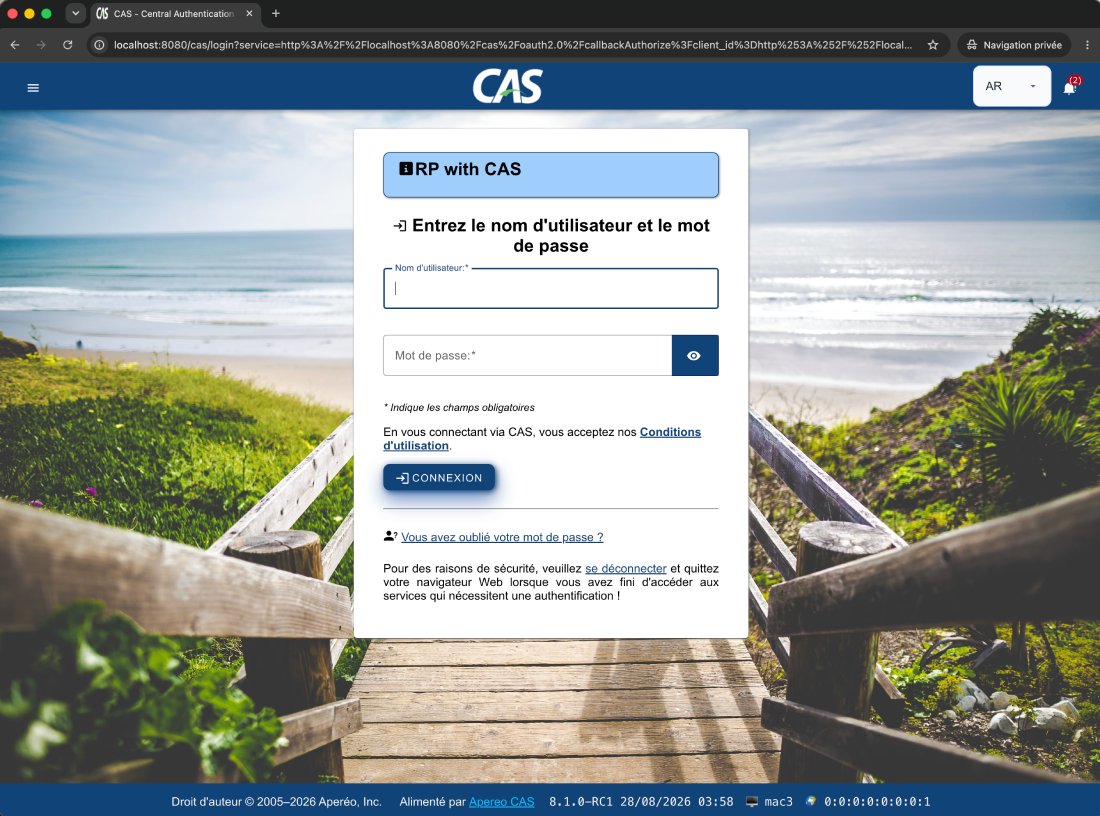
On the CAS server login page, we use the pre-defined user: casuser / Mellon to log in:
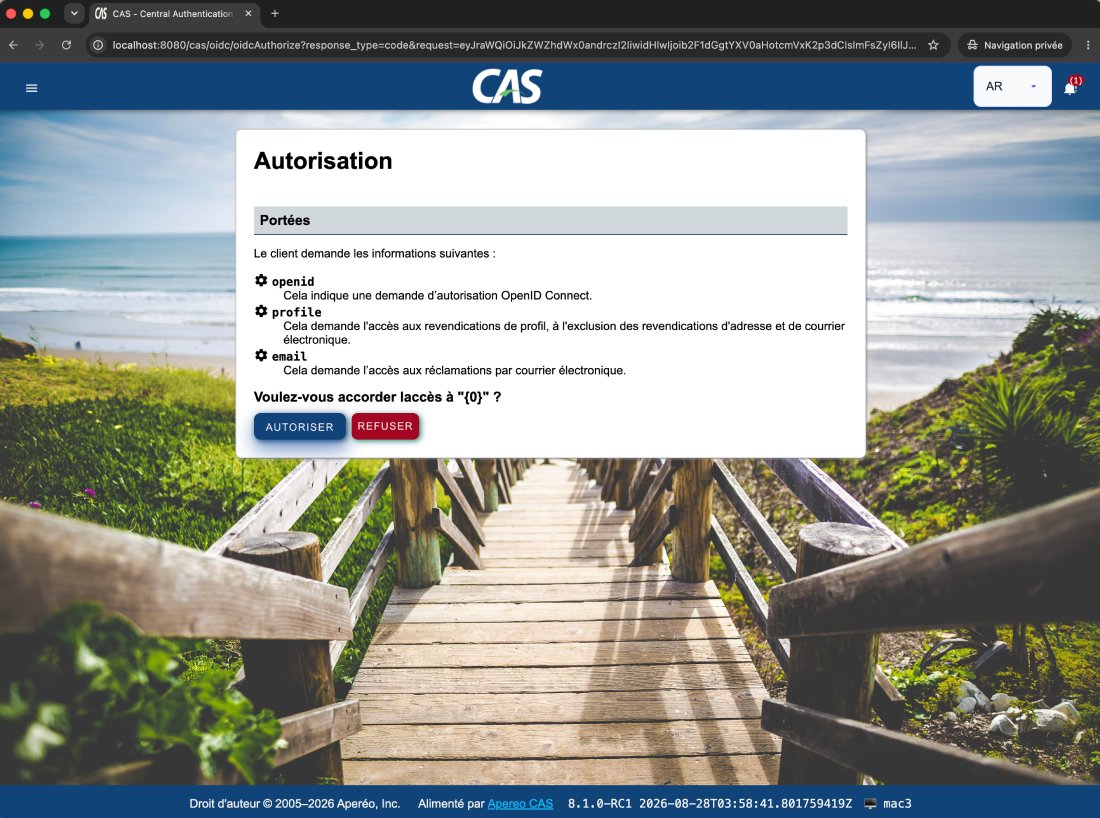
and we validate the authorizations:
And it works:
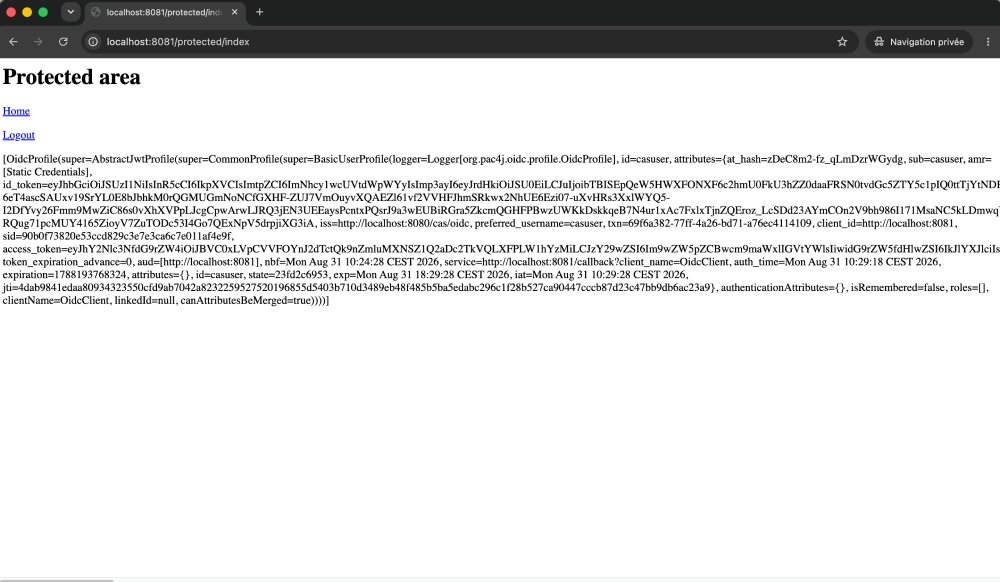
We are finally logged in to the pac4j application thanks to the OpenID Federation protocol and the two CAS server nodes.